Free for 15 days · no credit card needed
Every app your business runs on, on one platform.
From accounting to production and from warehouse to payroll, every app works on the same data model and in the same screen language. A record is entered once and every app sees it.
- One data model, one screen language
- Unlimited users
- Nothing to install, runs in the browser
- Many companies, one sign-in
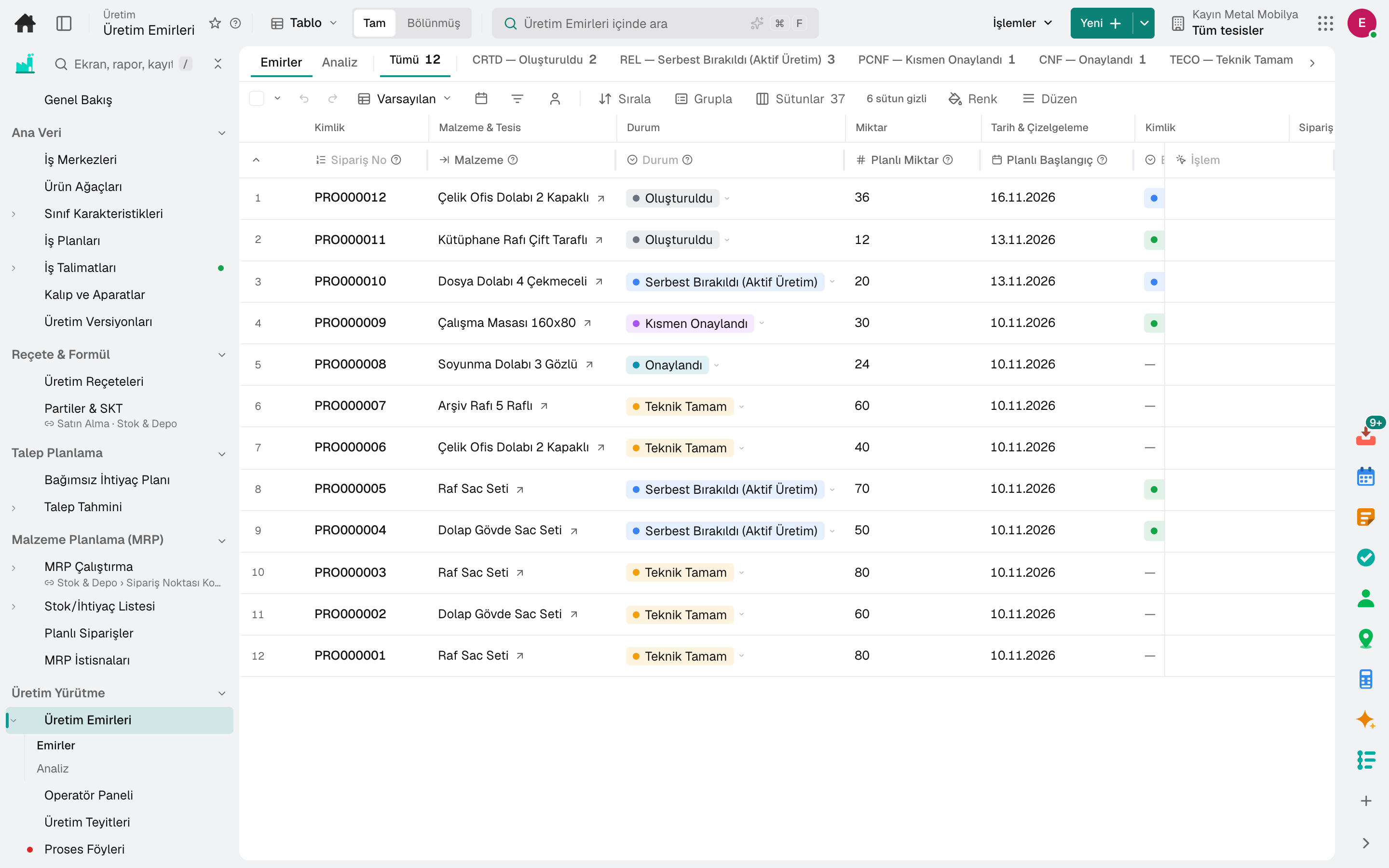
- Process Order
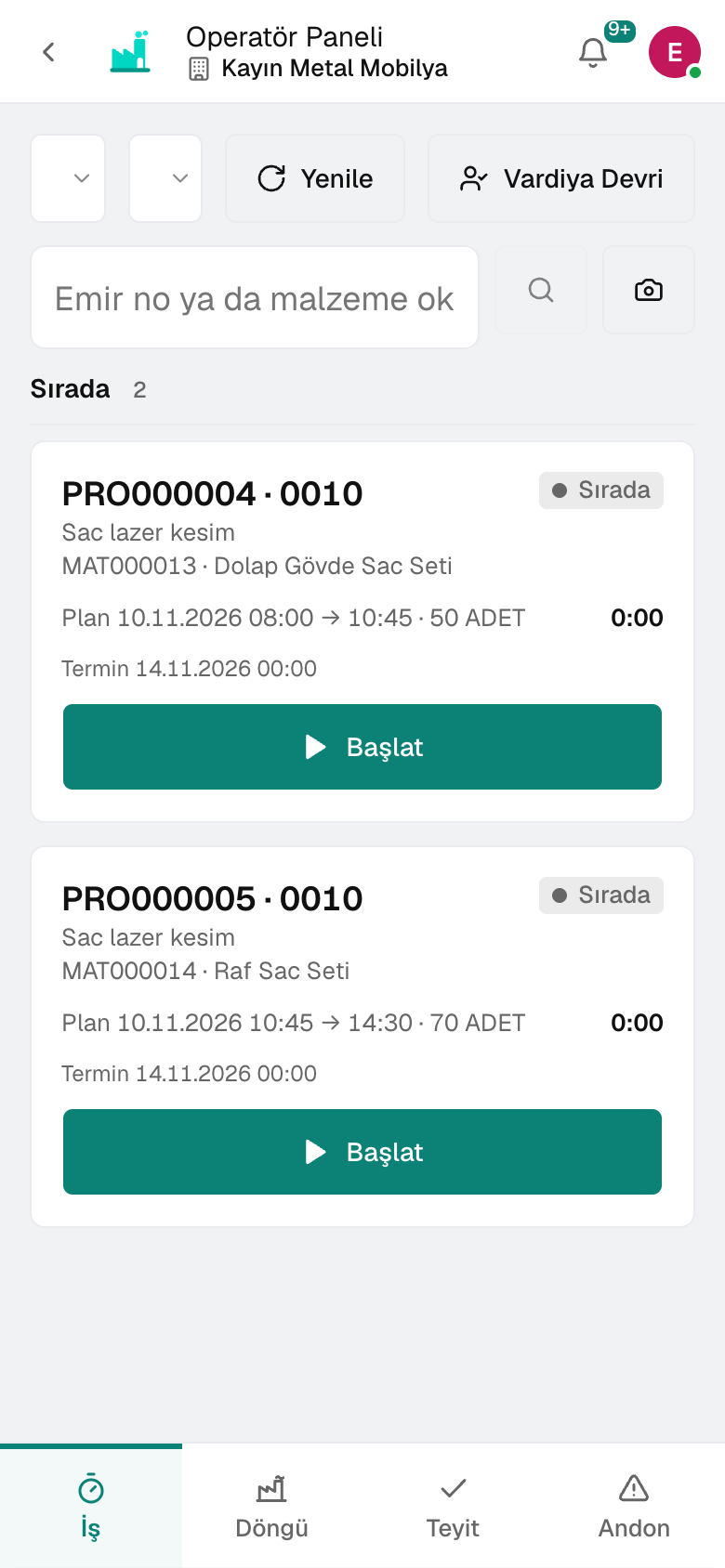
- Operator Panel
Why us
Not separate programs, but apps that know each other.
Most businesses run accounting in one piece of software, production and stock in a spreadsheet, and approvals in a messaging group. Every hand-off is a copy, and every copy is an error. The difference isn't in the feature list but in how the apps work together.
The same data in three places
Business partners, stock and payroll live in separate programs. Month end goes by in reconciliation, and nobody knows who changed what, or when.
Who is waiting for what?
Approvals sit in email and tasks in a messaging group. You only find out where work is stuck once it's late.
Stale by the time the report is ready
Data is transferred overnight, and morning decisions are made on yesterday's numbers. A deviation shows up on the invoice, not in the report.
Ecosystem
Every app on one data model. From order to invoice and from hiring to payroll, a record is entered once; the other apps read it.
Fast
⌘K takes you to any screen or record in a second. Records open in a window while the list stays in place; approvals collect in a single inbox.
Comprehensive
Finance and treasury, purchasing, production, warehouse, logistics, quality, maintenance, HR and payroll, sales and retail in one product. No add-on modules to buy — everything is included.
Practical
List, form and detail are the same in every module; learn one screen and you know them all. Nothing to install — the same product in the browser and on the phone.
What's there for whom
Everyone looks at the same numbers, from their own screen.
From the general manager to the warehouse worker, from the lawyer to the waiter: 37 roles, each on their own screen, with a single record. Pick your group and see a day in your role.
Management and finance
- General manager and boardThe company's pulse on one screen, decisions on record
- Finance managerCash, budget and close under control
- AccountantThe ledger writes itself, you review it
- Project managerFrom quote to handover, the project's work, budget and hours in one place
- AccountantEnter your client's books by invitation; closing and tax returns on the same data
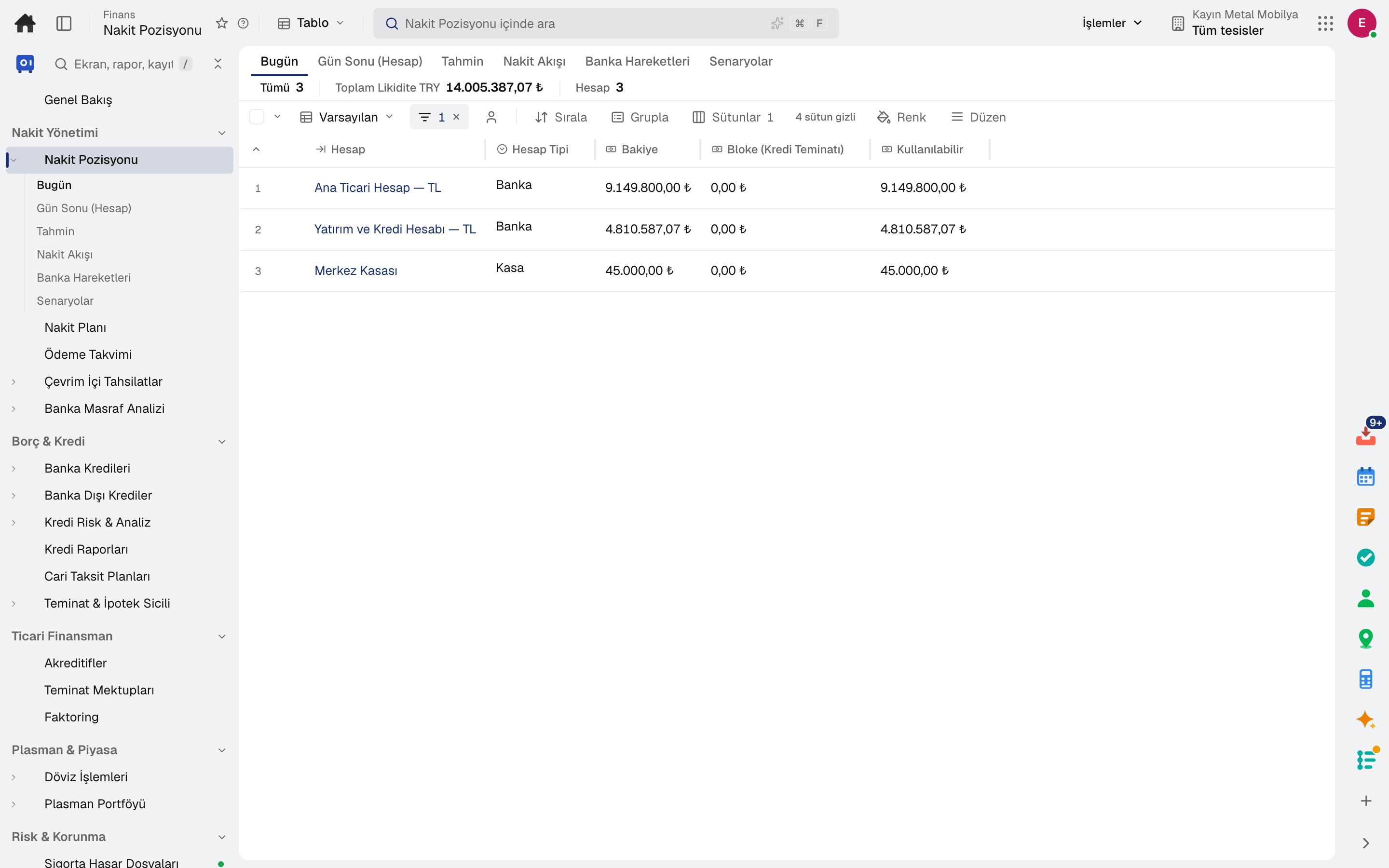
- Cash Position
Sales and supply
- Sales representativeFrom lead to order, the customer's whole history in front of you
- Marketing specialistFrom campaign to website, know your customer from one data set
- Purchasing specialistFrom requisition to invoice, every purchase recorded and approved
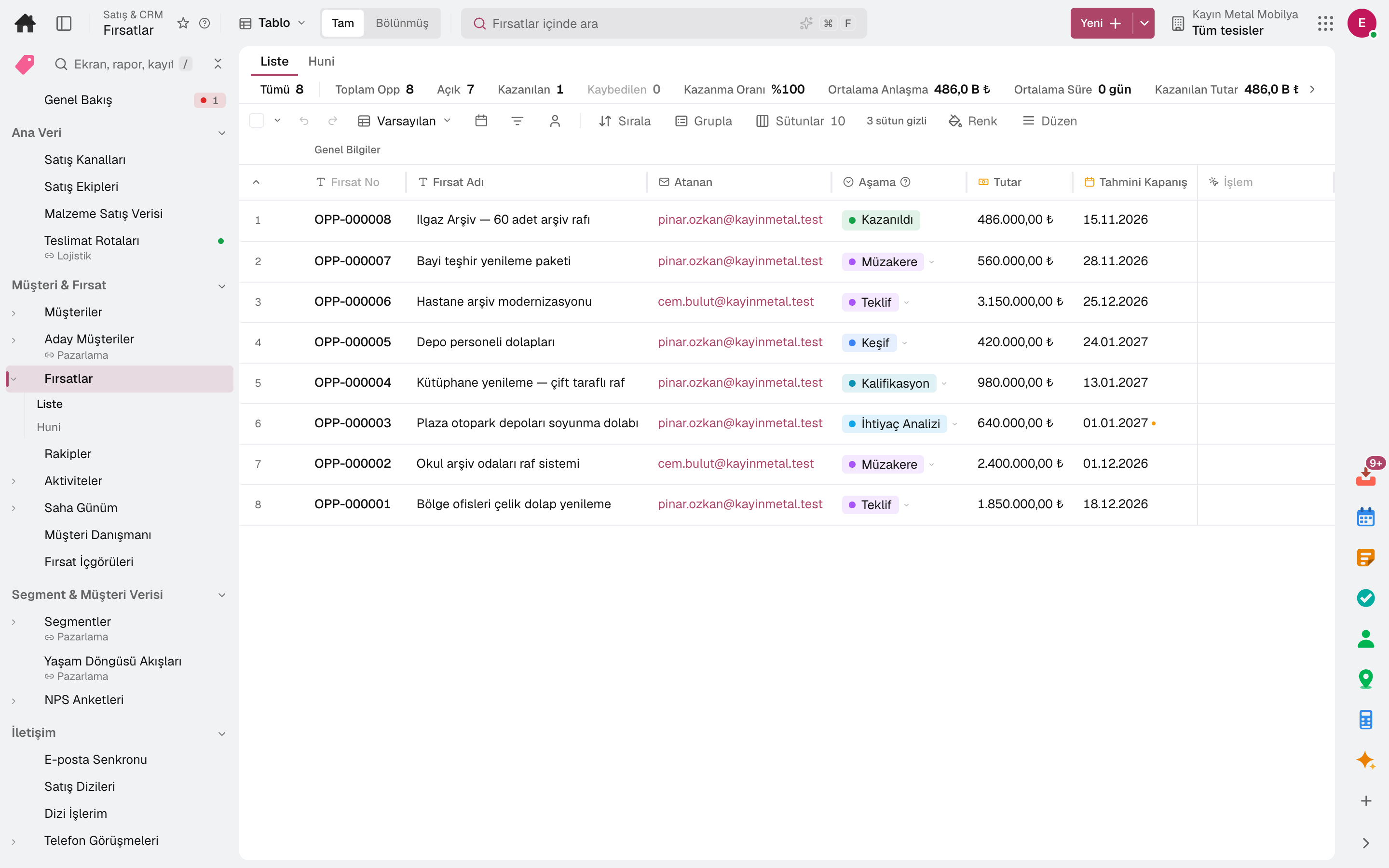
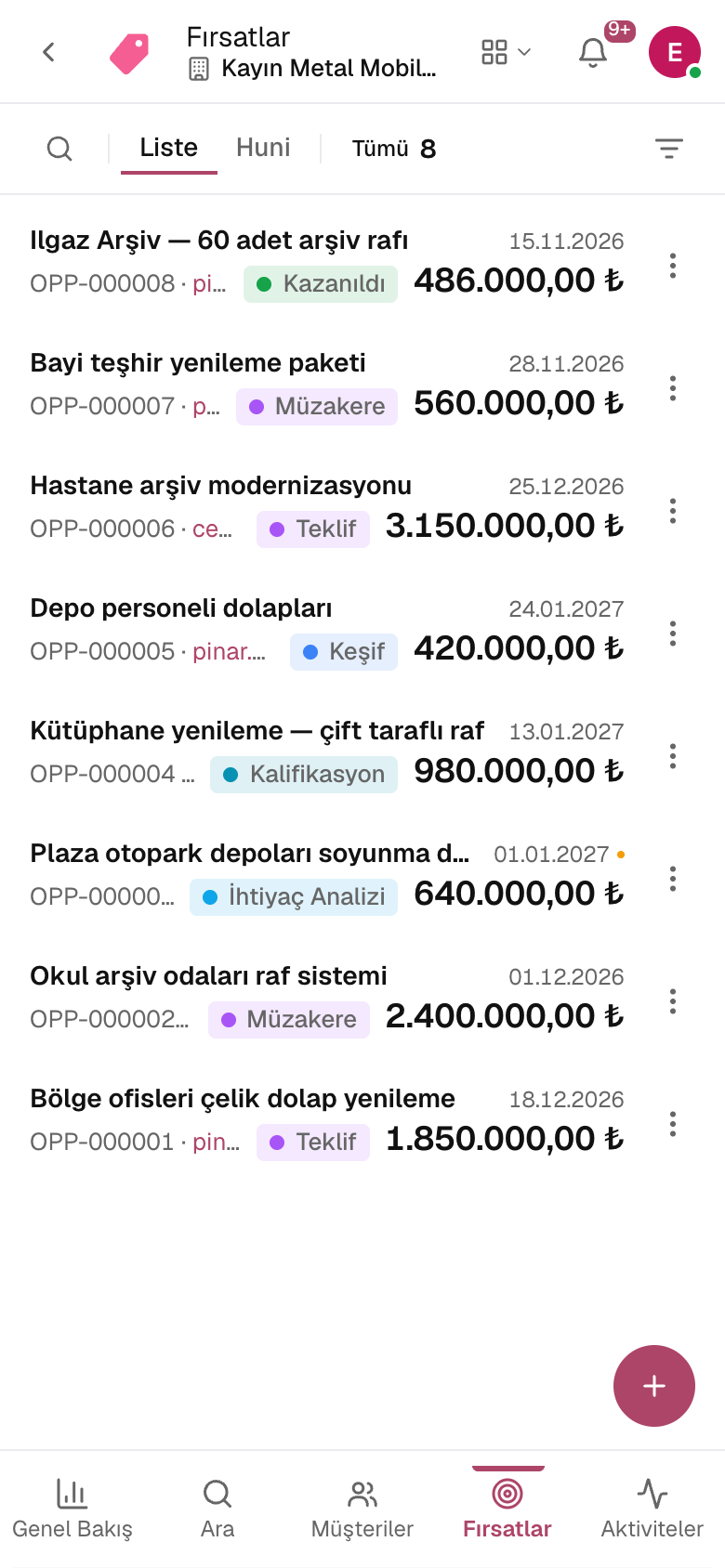
- Opportunity 360
Production and quality
- Production plannerDemand, MRP and capacity on the same board
- Production operatorWork orders, confirmations and andon from a tablet
- Quality specialistFrom inspection to corrective action, every deviation on record
- Maintenance technicianBreakdowns come in from the phone, the work order is in your pocket
- OHS specialistRisks, incidents and permits in one record
- Shift supervisorHas the line stopped, is an order late? The shift on one board
- Cutter and sewing operatorSpread, cut and scanned on the tablet; your minutes are clear at the end of the day
- R&D specialistFrom formula to finding, every trial in the notebook
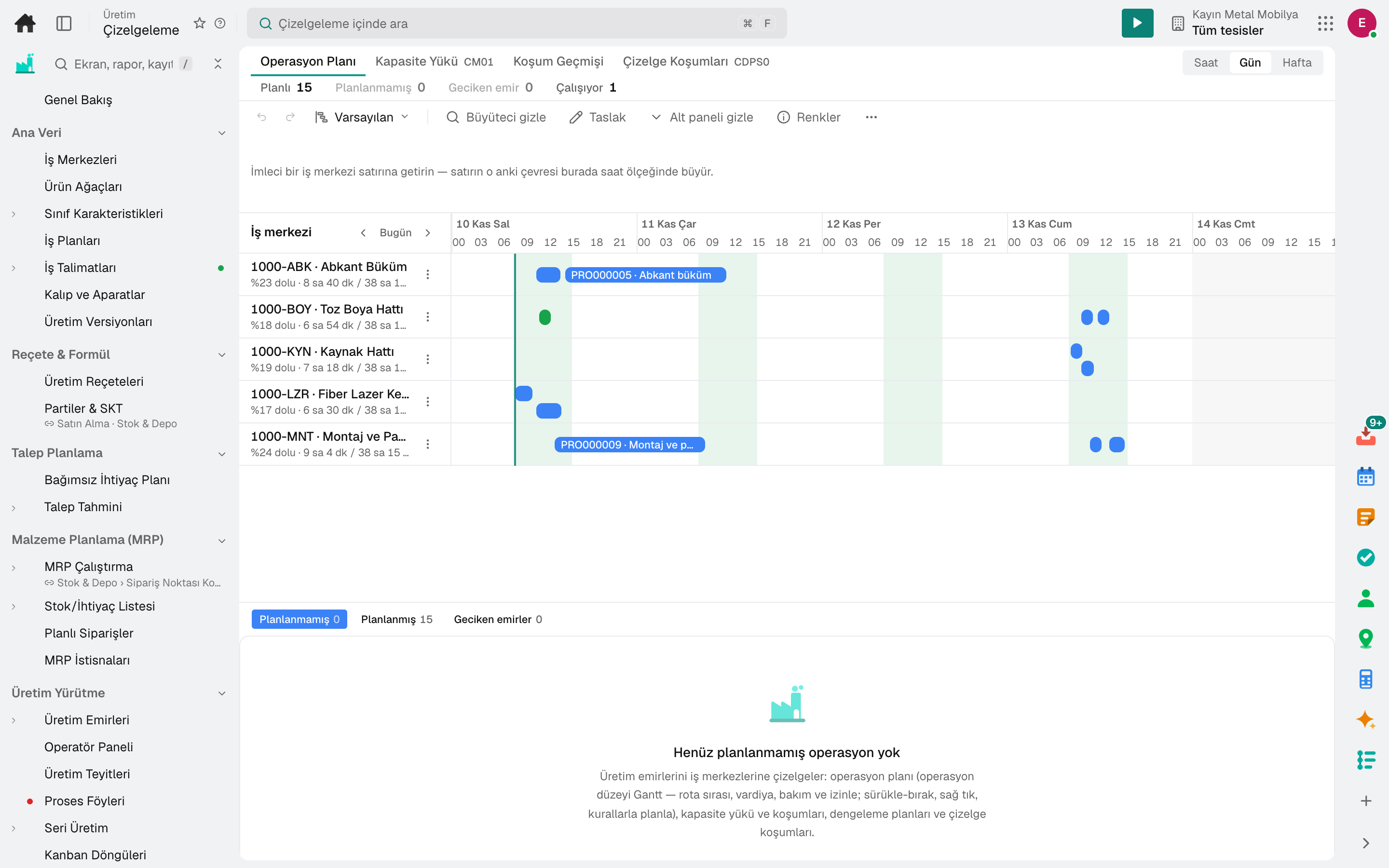
- Scheduling
Warehouse and logistics
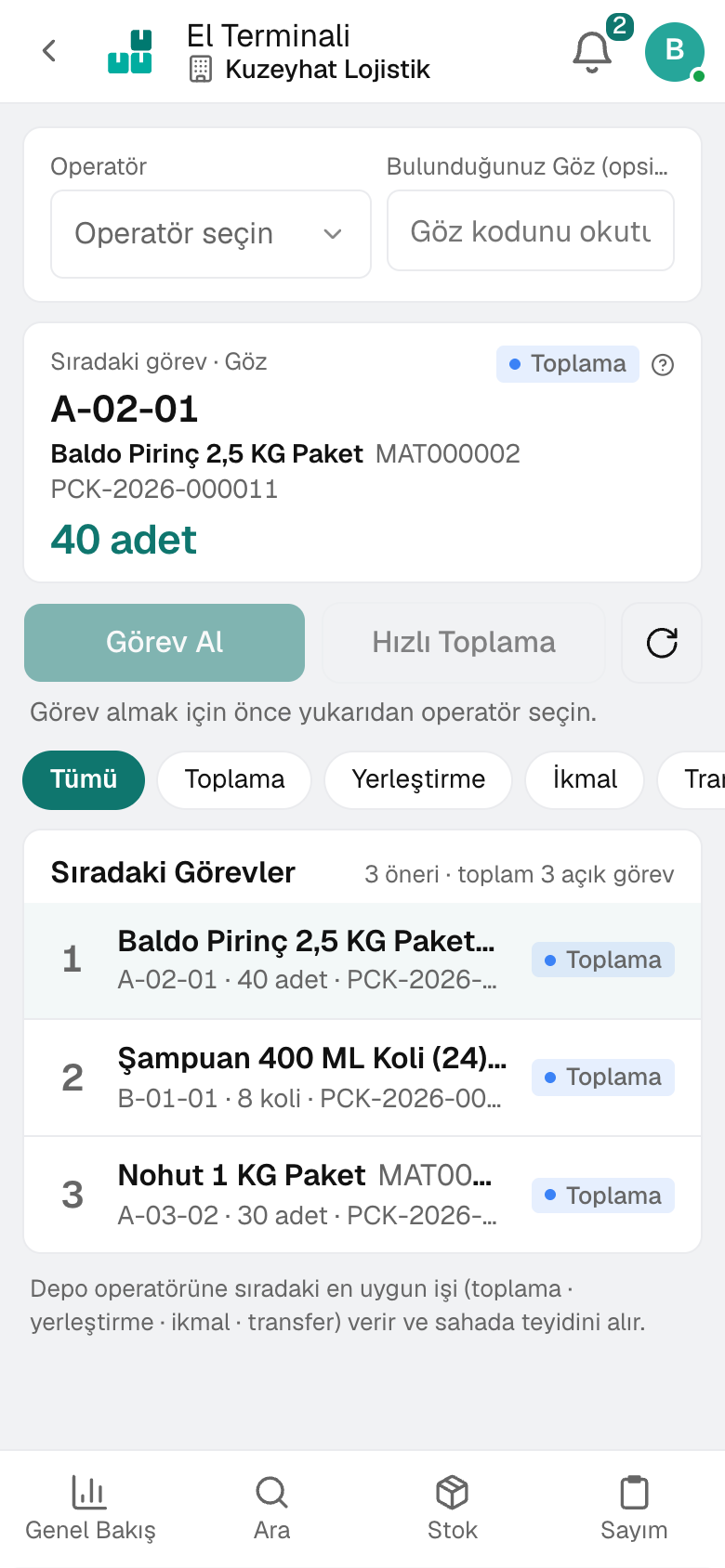
- Warehouse manager and warehouse workerThe next job on the handheld, the right product on the shelf
- Shipping planner and driverFrom load to delivery, vehicle and proof on record
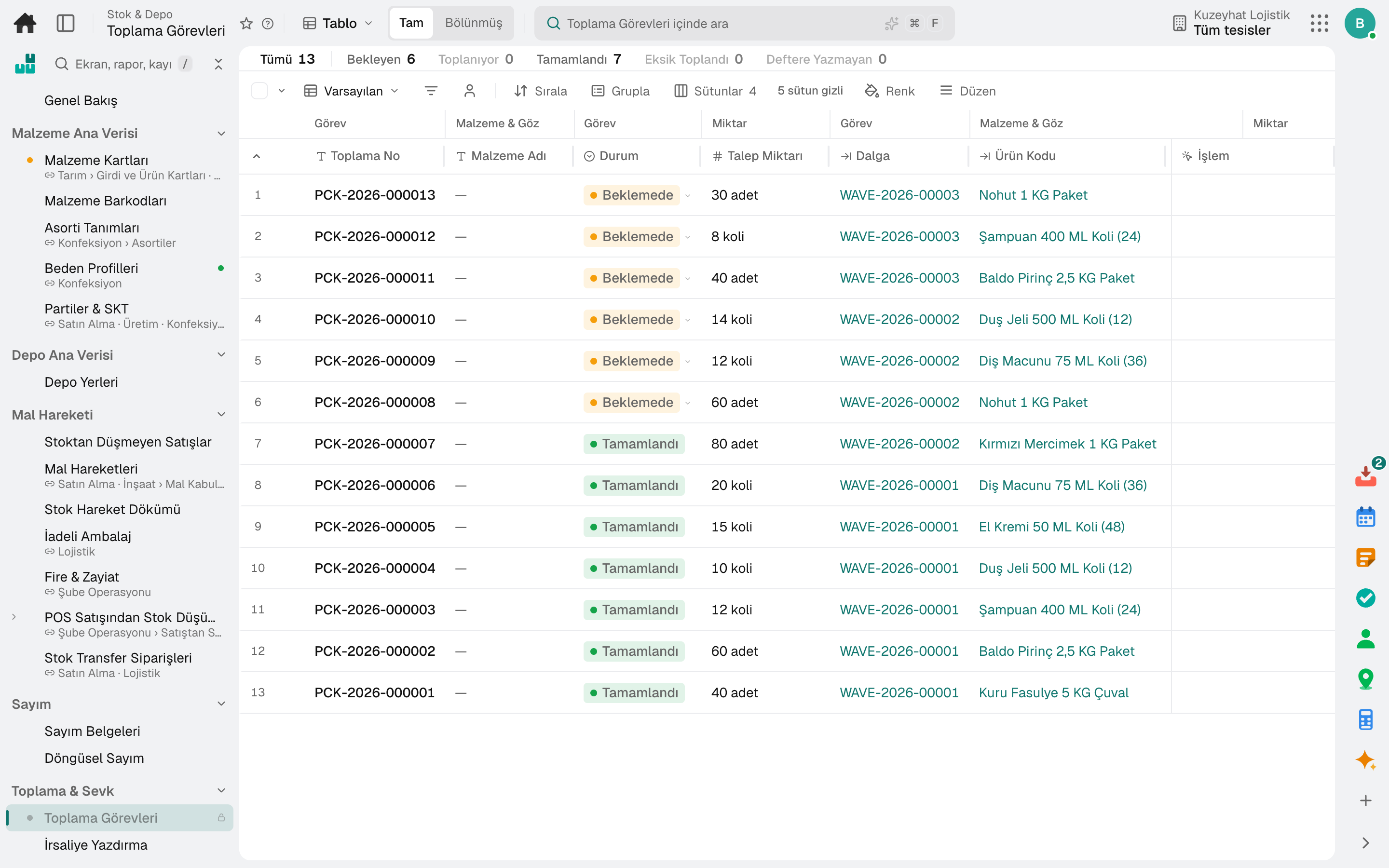
- Picking Tasks
- RF Terminal
Human resources
- HR specialistFrom job posting to exit, the employee's whole journey
- Payroll specialistFrom timesheet to bank instruction, payroll in one flow
- Every employeeLeave, clock-in, expenses and training on the phone
- Department managerThe team's leave, hours and interviews in one portal
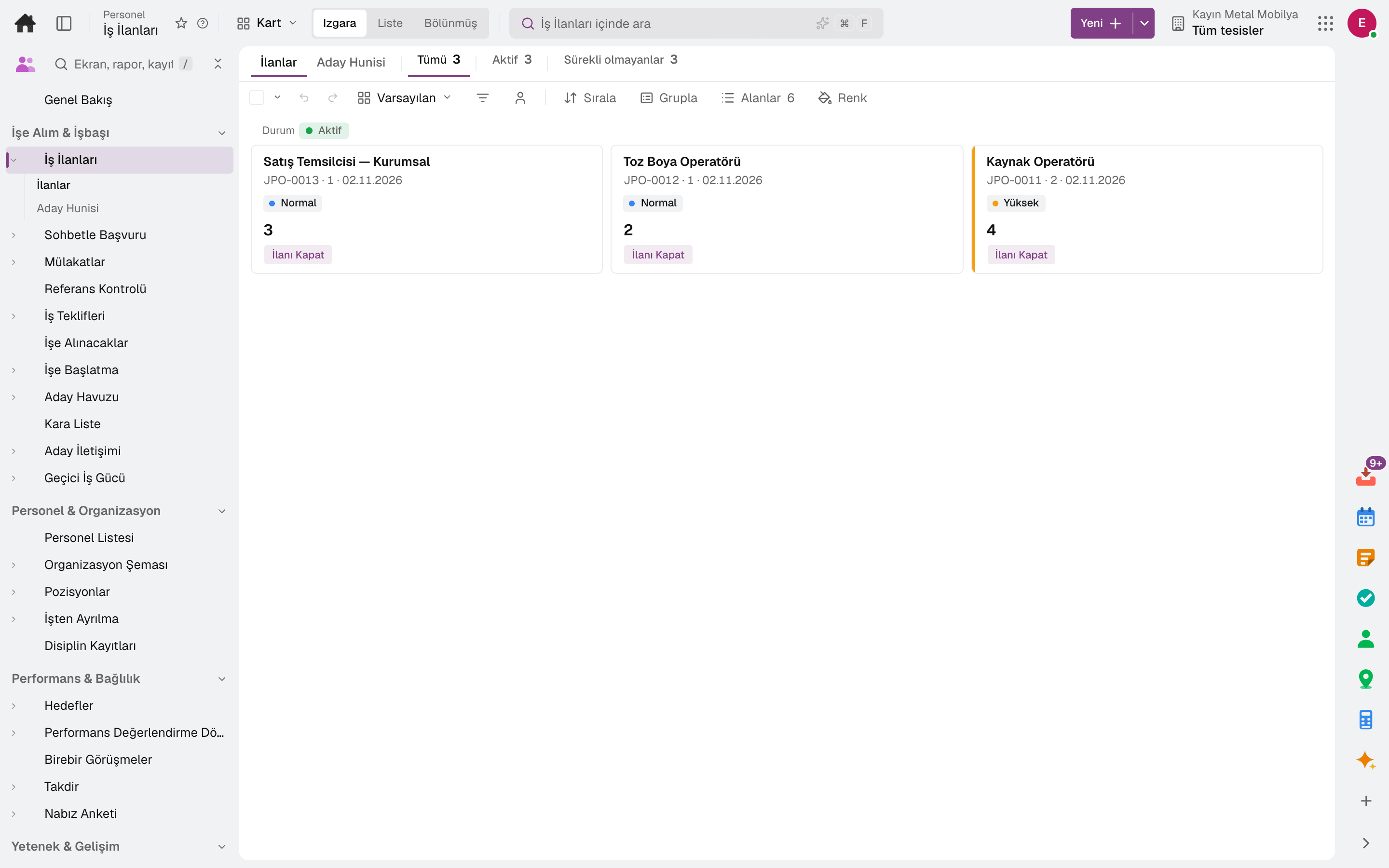
- Job Postings
Branch and franchise
- Branch managerOrders, register and shifts on one branch screen
- Cashier and waiterFrom table to register, by touch
- Franchise and dealer managerFrom revenue declaration to royalties, the whole network on one screen
- CourierYour deliveries on the phone; set off and deliver
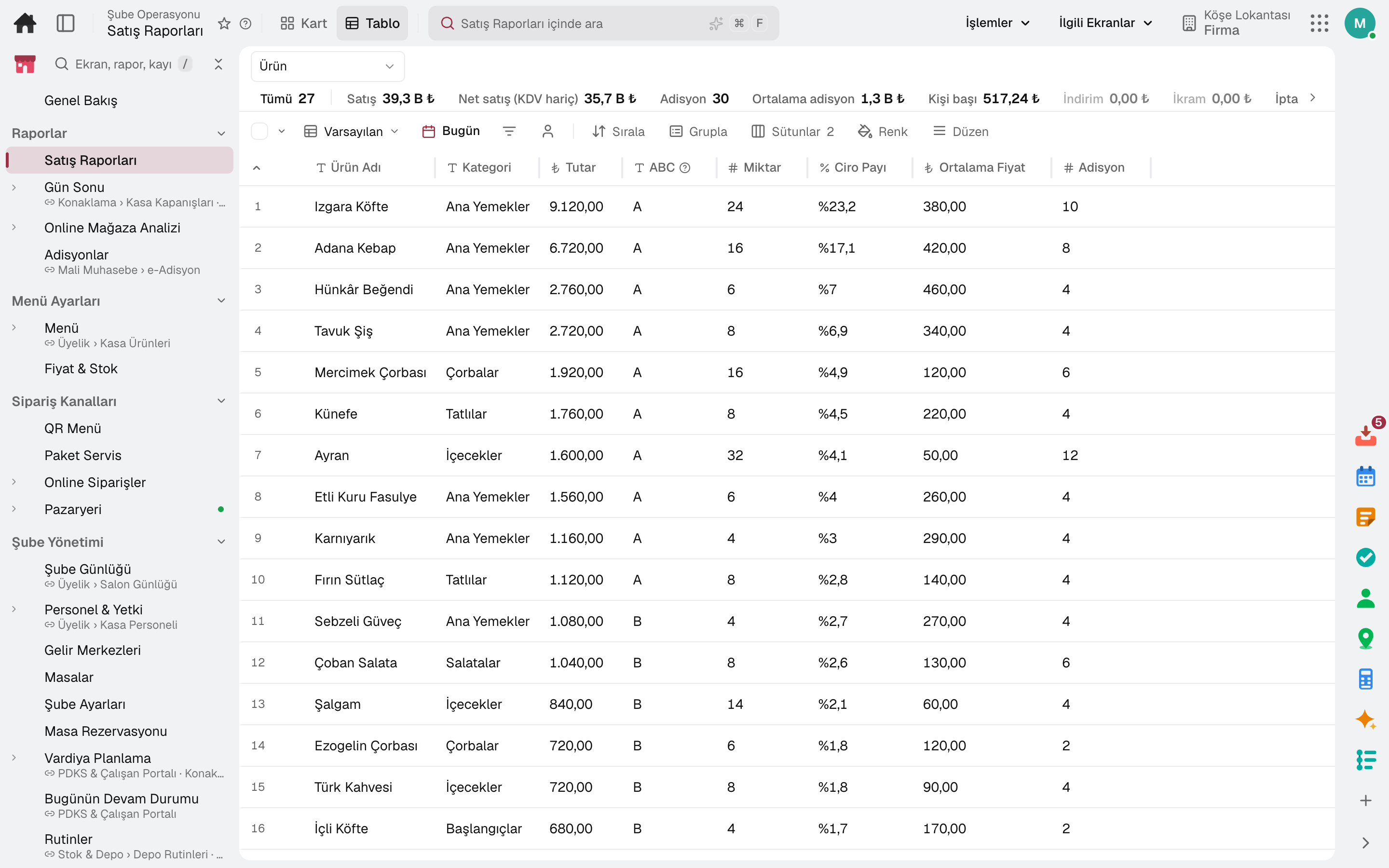
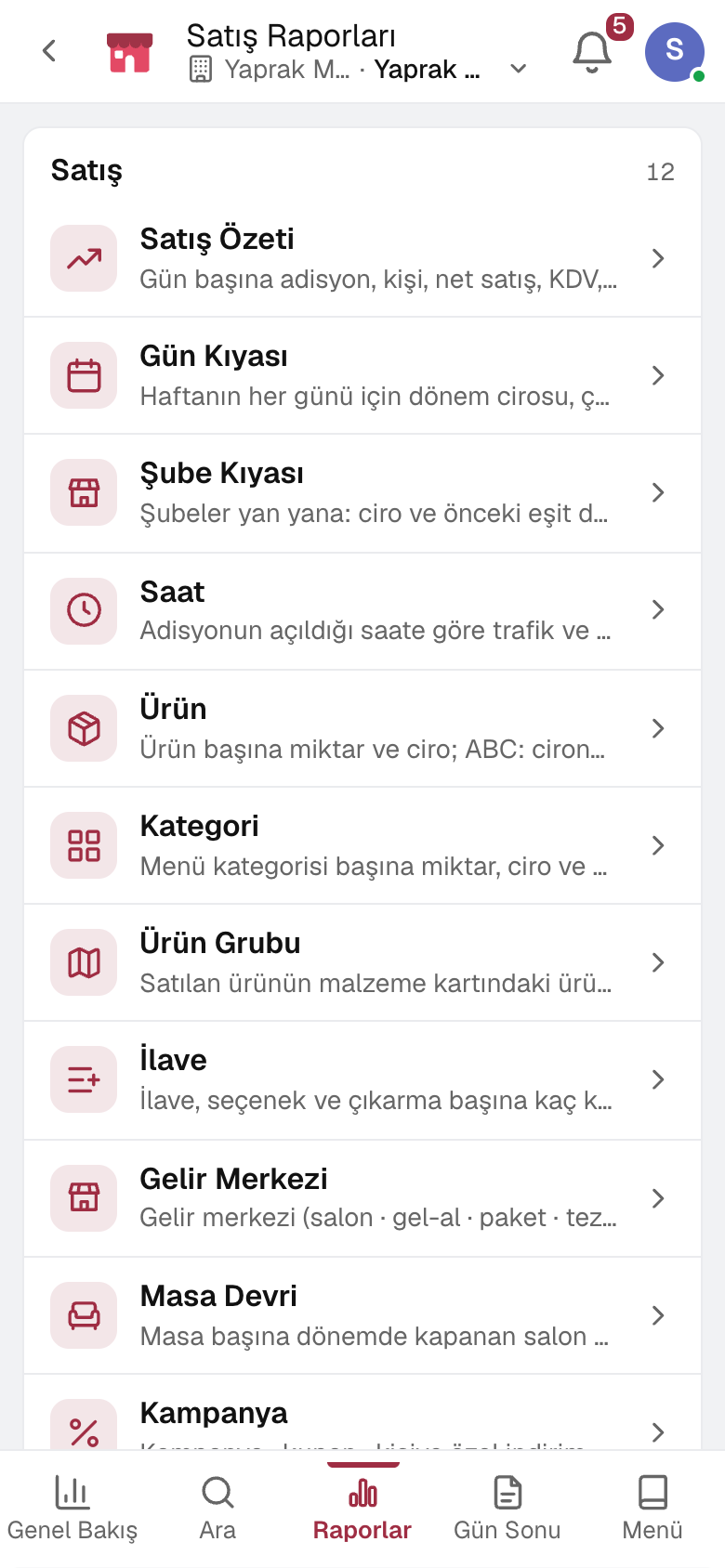
- Reports
Legal and systems
- Lawyer and legal counselFrom contract to lawsuit, every deadline tracked
- System administratorUsers, permissions and integrations from one place
- IT specialistFrom request to change, IT's work on one desk
- Internal auditor and risk specialistFrom risk to finding, every action tracked to closure
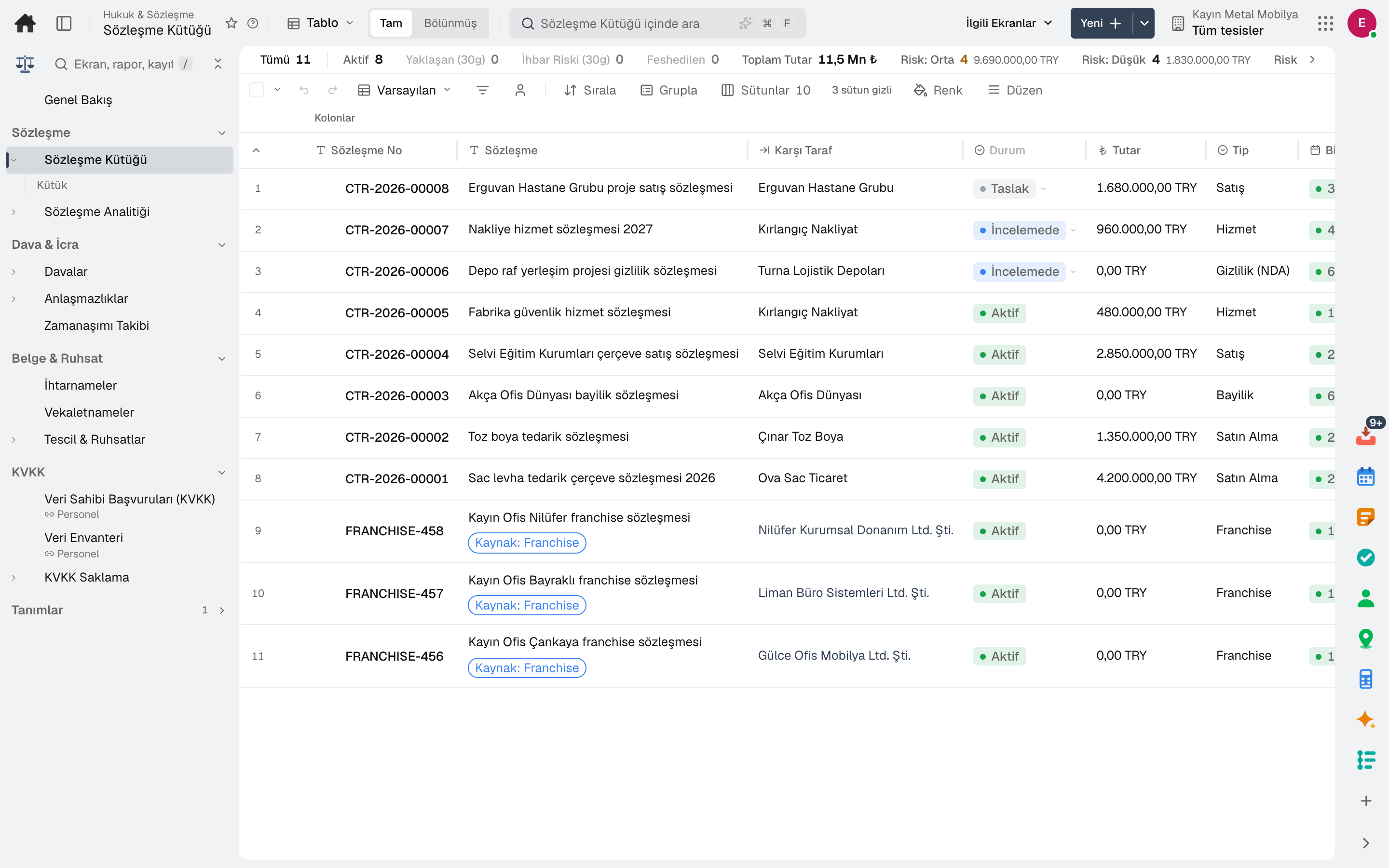
- Contract Register
Industry-specific
- Site managerFrom timesheets to goods receipt, the site's day on one screen
- Real estate agentYour listings, requests and viewings in one place
- Property and site managerFrom rent to service charge, every unit's account up to date
- Receptionist and room attendantFrom check-in to check-out, the room's status on everyone's screen
- Club manager and trainerFrom the daily log to attendance, the club's day on phone and screen
- AgronomistFrom observation to prescription, every recommendation tied to the plot
- Field service technicianThe day's jobs, address and device on the phone
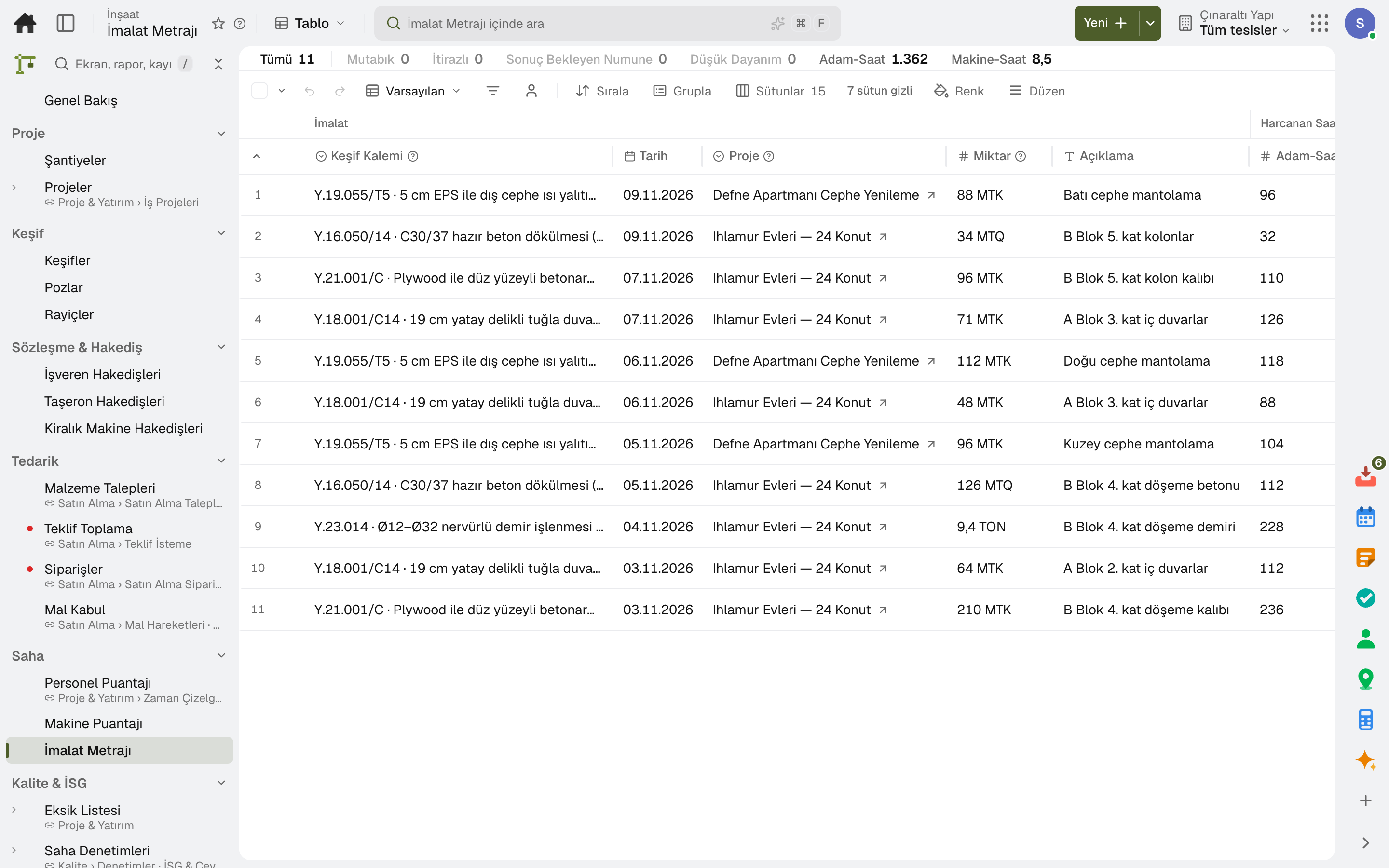
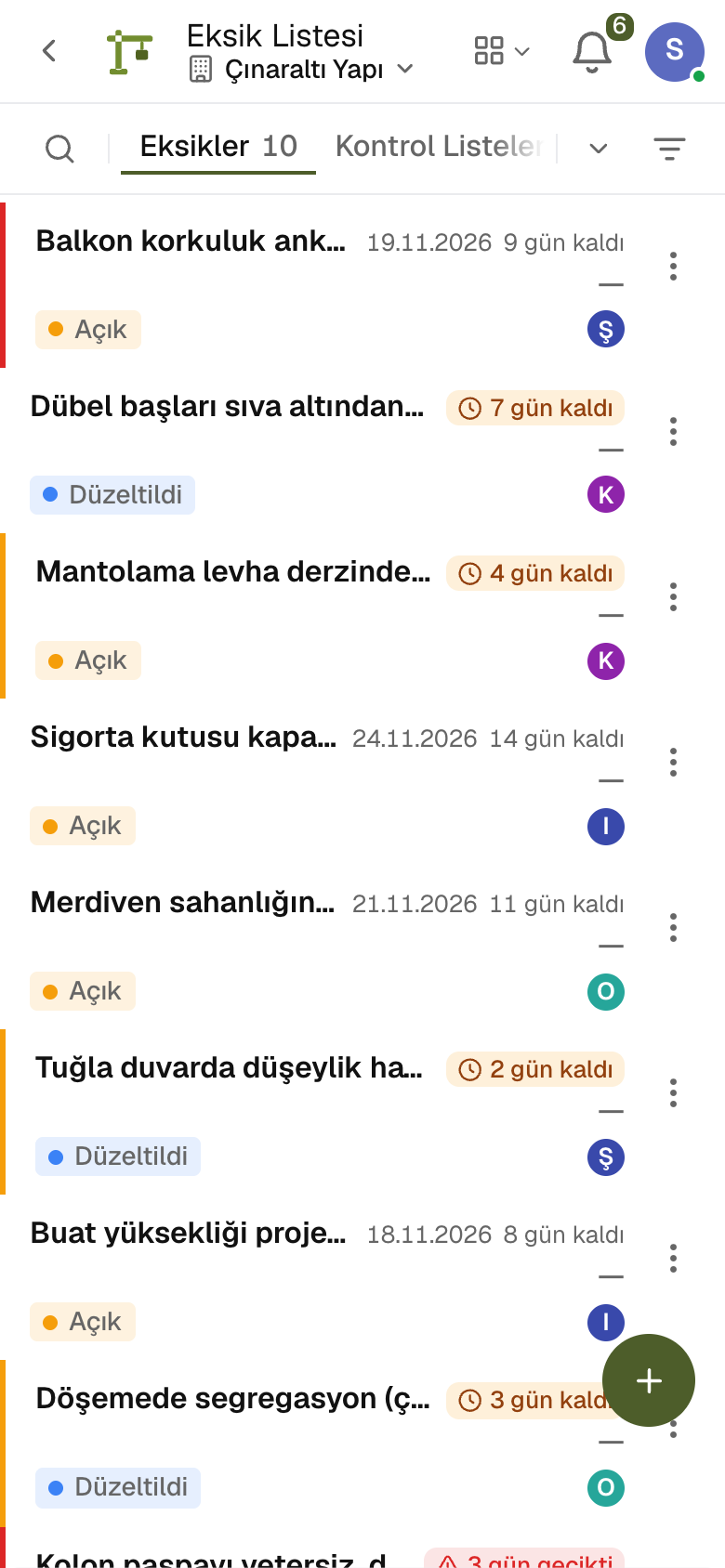
- Production Quantities
- Punch List
One record
Entered once, visible everywhere.
The moment an order is entered, stock is reserved, the shipment is planned, the invoice is issued and the ledger is written. Nobody types the same information twice.
- OrdersFrom the sales team or the dealer portal
- Stock & productionStock is reserved, production is planned
- ShippingShips with its delivery note
- e-InvoiceIssued and sent automatically
- CollectionMatched from the bank statement
- LedgerJournal entries post themselves
Products
Start with your industry's package, grow with modules. All on the same engine.
A package brings your industry's work ready to go; modules open one by one and the data always stays shared. Start with what you need; the rest is waiting in the same account.
Industry packages
Lidyos Auto
Car dealership and vehicle trading software — for used car dealerships and businesses that buy and sell vehicles.
3 modules in the packageLidyos Build
Construction and contracting software — for contractors, home builders and companies that run construction sites.
5 modules in the packageLidyos Care
Care home and retirement home management software — for care homes and retirement homes.
2 modules in the packageLidyos Estate
Real estate agency and property management software — for real estate agencies, property owners, residential management companies, and coworking and storage operators.
5 modules in the packageLidyos Farm
Farm and agricultural business management software — for producers running fields, greenhouses, orchards and dairy farms.
5 modules in the packageLidyos Fashion
Apparel manufacturing and retail software — for garment manufacturers, ready-to-wear brands and clothing stores.
5 modules in the packageLidyos Fitness
Gym and studio management software — for gyms, pilates and yoga studios, and course centres.
4 modules in the packageLidyos Hotel
Hotel management software — for those running hotels, guesthouses, serviced apartments and short-stay rentals.
5 modules in the packageLidyos Logistics
Transport and warehouse management software — for haulage, distribution and warehousing service companies.
4 modules in the packageLidyos POS
Point of sale software — for single-till shops, grocery stores and cafés.
3 modules in the packageLidyos Rental
Vehicle and equipment rental software — for car rental companies and those who hire out equipment and event supplies.
4 modules in the packageLidyos Restaurant
Restaurant management software — for restaurants, cafés, patisseries and fast food outlets.
5 modules in the packageLidyos Retail
Retail management software — for store chains, grocery stores, corner shops and greengrocers.
5 modules in the packageLidyos Service
Field service management software — for businesses that provide service at the customer's site.
4 modules in the packageLidyos Trade
Customs and foreign trade software — for manufacturers and trading companies that import and export.
5 modules in the packageModules
Finance & Accounting
Lidyos AccountingAccounting software13 sub-modules Lidyos TreasuryCash and finance management software6 sub-modulesPurchasing & Sourcing
Lidyos PurchasingPurchasing software10 sub-modulesProduction & Inventory
Lidyos ManufacturingProduction planning and tracking software7 sub-modules Lidyos InventoryInventory and warehouse management software9 sub-modules R&DFrom formula to production, every trial and every decision in the notebook3 sub-modulesQuality & HSE
QualityFrom inspection to corrective action, quality on record7 sub-modules OHS & EnvironmentOccupational safety, environment and carbon in one record7 sub-modulesLogistics & Transportation
LogisticsYour own fleet and your carriers in one control tower11 sub-modulesSales & Marketing
Lidyos SalesSales and customer management software16 sub-modules MarketingSocial media, Google and your website on one panel6 sub-modulesRetail & Services
Branch OperationsRegister, tables, branch orders and shelves on one branch screen10 sub-modules Lidyos FranchiseFranchise network management software4 sub-modulesHuman Resources
Lidyos WorkforceAttendance, shift and leave software9 sub-modules Lidyos HRHuman resources software10 sub-modules Lidyos PayrollPayroll software4 sub-modulesMaintenance & Projects
Lidyos ProjectsProject and capex management software3 sub-modules Lidyos MaintenanceMaintenance management software5 sub-modulesCorporate & System
Legal & ContractsNo missed contract expiry, no missed hearing4 sub-modules Board of DirectorsBoard decisions, shareholders and dividends on record2 sub-modules AdminUsers, permissions, definitions and integrations on one admin screen9 sub-modules Risk & ComplianceRisks, controls and audit findings tracked until they are closed3 sub-modules ITFrom incident to change, all of IT's work at one desk5 sub-modulesReporting & Analytics
Reports & AnalyticsData from every app in one report catalogue1 sub-modulesAll industry packages All modules, the A to Z list and sub-module search
Product
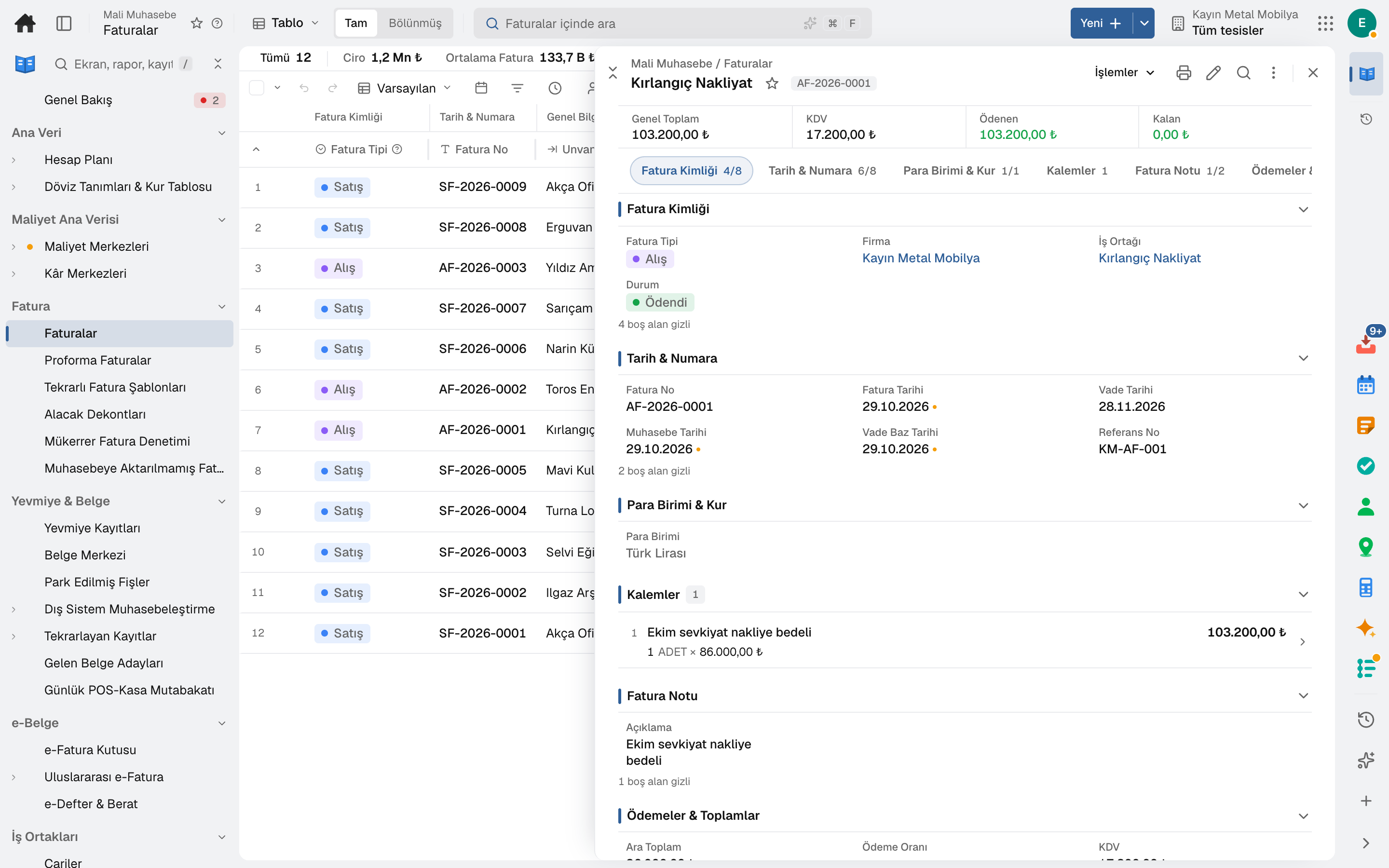
Learn one screen and you know them all.
Every module uses the same three parts: list, form and detail. Filters, sorting, bulk actions, shortcuts and export sit in the same place everywhere. Training takes a day, getting used to it a week.
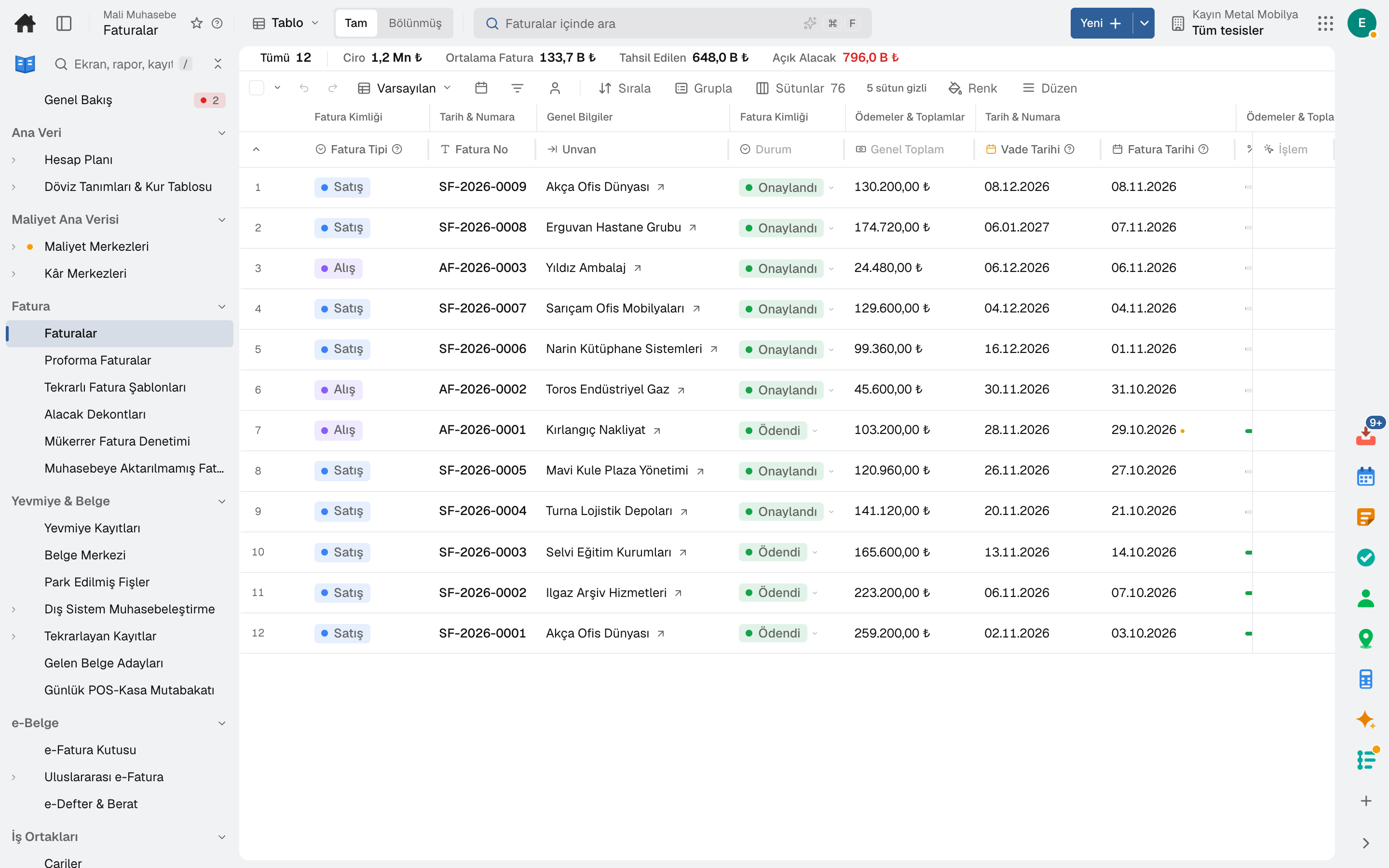
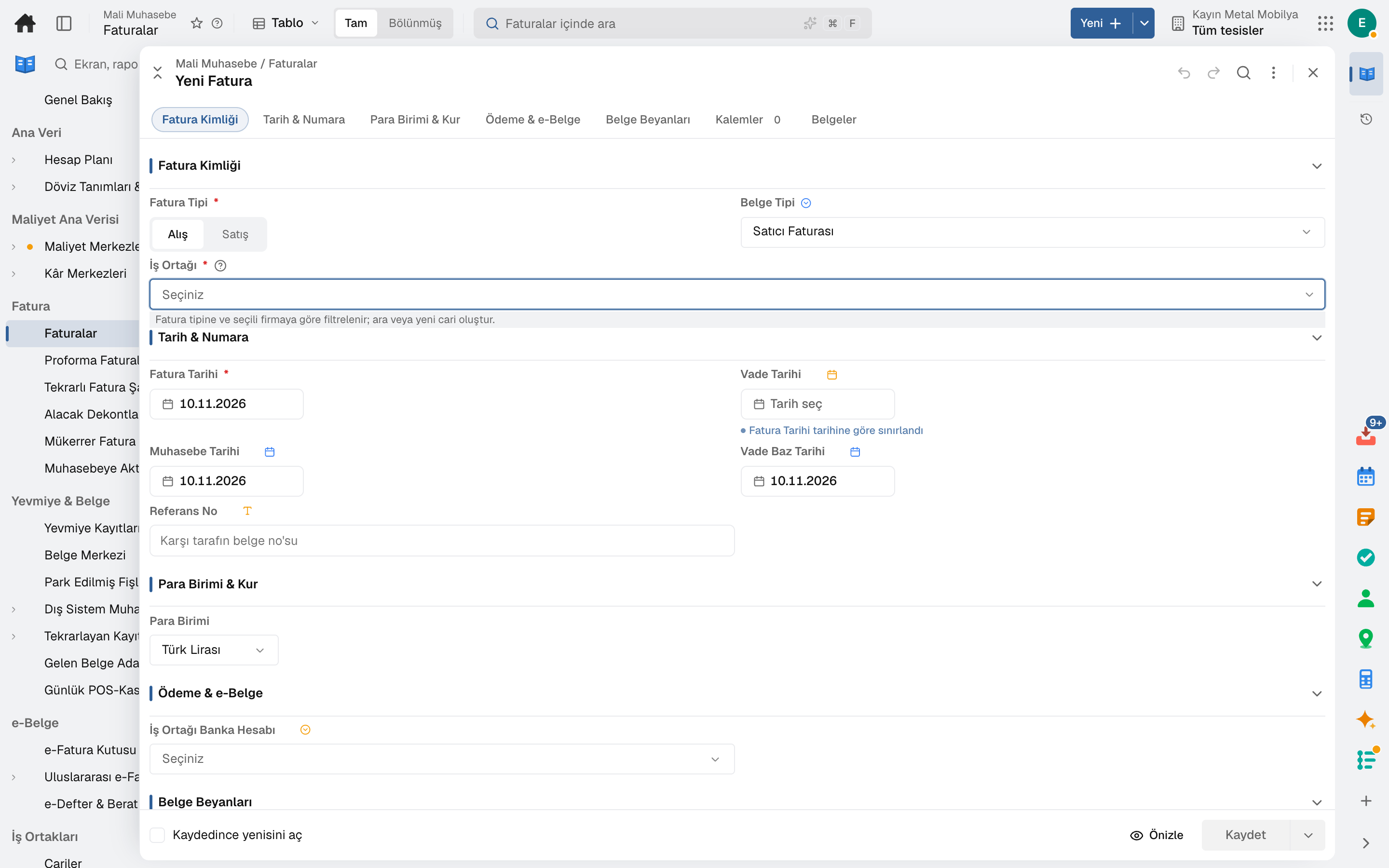
Command palette
Search screens, records and actions with ⌘K. Type "Anadolu invoice" and land on the record itself.
Favourites and history
The screens you use most sit at the top; the record you looked at yesterday is in your history, by date.
Real time
An approval arrived, a shipment left, stock fell to a critical level: notifications drop in without refreshing the screen.
Mobile and offline
Installs on the phone like an app. Screens you have opened still open when there's no signal in the warehouse.
Fast with the keyboard
From list to form and from form to record with a single key. No mouse needed — certainly not for entering numbers.
Every record has an address
Share an order, batch or invoice as a link; whoever clicks it lands right on the record.
Work in windows
Records open in a window while the list stays in place behind it; open several records side by side and compare them.
One inbox
Purchase, payment and leave approvals and tasks in one inbox; bulk approval in one click.
Tools
Chat, calendar, tasks and documents on the same record.
You do not need separate chat, calendar, document and form subscriptions. A message becomes a task, a form response becomes work, a meeting lands on the calendar; the tools run on the same data as the business apps.
Chat and calls
Team chat, right next to the record you are talking about.
DetailsCalendar and booking
Events, tasks and appointments in one calendar.
DetailsTasks
Personal tasks and a record's tasks in one list.
DetailsDocuments
Files, documents, sheets, wiki and whiteboard in one place.
DetailsForms
Build forms and surveys, turn responses into work.
DetailsCustom Applications and Automation
You build the record and the rule the product does not have, without writing code.
DetailsInbox and e-mail
Approvals, work, notifications and e-mail in one inbox.
DetailsAnd 11 more tools: Notes · People · Maps · My Drafts · Phone · AI Assistant · How to do it? · Calculator · Running Jobs · Converter · Passwords.
Integration
One core, every country's rules built in.
Banking, exchange rates, e-invoicing and enterprise sign-in run on the same core in every country; legal requirements come with the country pack. Your accountant doesn't open another program, and your IT team doesn't write another bridge.
In every country
- Bank filesISO 20022 and MT940 statements, IBAN validation
- Exchange ratesECB reference rates, every day
- e-Invoicing (EN 16931)UBL and CII; incoming XML is read
- Public holidays249 countries, with regional days
- POSEnd of day and sales lines
- Enterprise sign-in (SSO)Microsoft Entra ID
Country packs
- TürkiyeFull packYour country GİB e-Invoice, e-Archive, e-Waybill and e-Ledger · social security (SGK) declarations and accruals · CBRT exchange rates · Uniform Chart of Accounts · KVKK
- GermanyAccounting packageYour country SKR 04 chart of accounts · VAT accounts per rate · balance sheet and income statement in the German Commercial Code layout · DATEV export for the tax adviser
- EuropeBasic packYour region EN 16931 e-invoicing · official bank directory: Germany, Austria, Switzerland, Liechtenstein, the Netherlands, United Kingdom
- Other countriesCore Regions, currency, language, time zone and public holidays are ready from day one; the chart of accounts is set up for your country.
A versioned /api/v1 contract, an OpenAPI document and webhook events: orders, shipments and invoices are pushed to external systems automatically. An incoming webhook triggers an automation rule from outside; AI assistants connect through MCP with exactly the permissions of your API key. Developer documentation
Customers, suppliers, dealers, tenants, candidates and employees come in through the same door; each sees only the section opened for them. Portals
AI
A copilot, not an autopilot.
The model reads, suggests and flags; a person approves the record. Every suggestion comes with its source, and every approval is tracked.
Invoice reading
The PDF or photo of an incoming invoice is read; vendor, lines and amounts land in the form, and you approve.
Demand sensing
Demand forecasting from past sales, seasonality and campaigns; it arrives as a suggestion for buffer stock and the production plan.
Arrival estimate
A shipment's arrival time from GPS and past trips; a notification to the dealer and a plan for the dock.
The chat assistant answers questions like "this month's overdue collections" from inside the screen; answers come only from data you are authorised to see.
Security & compliance
Who sees what and who changed what: always clear.
The multi-tenant architecture separates each company's data at row level. Permissions are defined by role and level; every change is stored as an event.
Role- and level-based permissions
A permission matrix at screen, action and field level. Approval by amount threshold, visibility by department.
Tenant isolation
Every record is stamped with the company ID; with row-level security the database never returns another company's data.
Change history
Every record is written as an event: old value, new value, who and when. Point-in-time queries on every screen.
No deletion, only deactivation
No record is ever physically deleted; it is deactivated and can be read back during an audit.
Segregation of duties
Whoever enters an invoice can't approve it, and whoever makes a payment can't close the reconciliation. The rule is built into the engine.
Personal data toolkit
Data inventory, retention policy, access log and privacy notices; the data subject request process is in the system.
Trust center: data location, access, audit trail, personal data
How to get started
Weeks, not months.
No installation, no servers, no army of consultants. Your account opens, you move your data with templates, and your team signs in from the browser.
Your account opens
Company, first administrator and basic definitions ready in minutes: chart of accounts, tax rates, units, currencies.
- Country and time zone selection
- Many companies, one account
- Chart of accounts comes ready
You move your data
Excel templates for business partners, stock, employees and opening balances. e-Invoice and bank connections open the same day.
- Template validation and an error-line report
- Opening carry-forward procedure
- Parallel run with the old system
Your team gets started
The role matrix is ready: accounting sees its own screen, the warehouse sees its own. The employee portal and mobile are open from day one.
- Role-based training, a guide for every screen
- Support in your language
- Release notes with every update
Pricing
No licenses. You pay for what you use.
Every app is open for every customer; give everyone from the warehouse to the board their own account — opening accounts is free. Like an electricity meter, usage sets the fee: whoever signed in on however many days that month. No license to buy when someone joins, none to cancel when they leave. List price, no haggling. 15 days free.
People who only use the employee portal (leave, payslips, advances), approvals, inbox, calendar and chat are not counted; neither are technical, subcontractor or consultant accounts.
Per full user per month, excluding VAT. Someone who signs in 20 days a month is 1 full user; fewer days count proportionally, more is still 1. Each tier applies only to its own range. Minimum ₺9,900 / month.
For every customer
- Every app: accounting, treasury, purchasing, sales, production, warehouse, logistics, quality, maintenance, HR, payroll, OHS, branch and franchise
- Unlimited users and companies: group companies in the same account with one sign-in; each company keeps its own ledger
- Fits seasonal businesses: when fewer people sign in off-season, the fee drops by itself; no licenses to cancel
- In Türkiye: e-Invoice, e-Archive, e-Waybill, e-Ledger connection; credits from your integrator
- In Türkiye: bank statements, CBRT exchange rates, social security declarations
- Open API, webhooks and enterprise sign-in (Microsoft Entra)
- Mobile app and screens that open offline
- Every update and the right to take your data whenever you like via Excel, CSV or the API
Prices exclude VAT. The subscription is monthly: the minimum monthly fee is paid upfront at the start of each period; if usage exceeds it, the difference is charged with the next payment. Cancel anytime; your account stays open until the end of the period.
Frequently asked
Before you decide.
How does the 15-day trial work?
When you fill in the form your trial account is opened and your sign-in details arrive by email. For 15 days every app is open and no credit card is required; the usage meter runs during the trial too and shows what you would pay, but nothing is charged. At the end you start the subscription; the data you entered during the trial stays in place.
Where is my data kept, and who can access it?
Data is kept on Google Cloud, stamped with your company's tenant ID; the database never returns another company's data thanks to row-level security. Access is in your administrator's hands through a role and level matrix; we look only at your written request, and it is logged.
How long does switching from my current software take?
There are Excel templates and a validation report for business partners, stock, employees and opening balances. A business starting with finance and trade usually goes live within a few weeks; production and warehouse processes are added with a parallel run.
Do I need separate software for e-invoicing?
No. e-Invoices are issued and received directly from the platform: they are produced as UBL or CII under the European standard EN 16931, and incoming XML is read. In Türkiye, e-Invoice, e-Archive, e-Waybill and e-Ledger documents go through a GİB-approved integrator; an incoming e-Invoice is linked to the purchase invoice and an outgoing e-Waybill to the shipment.
Does it work on mobile? What if there's no signal in the warehouse?
Lidyos installs on phones and tablets like an app (PWA). There are touch-first screens for warehouse counting, picking, maintenance and the production floor; screens you have opened keep working when the signal drops and sync when the connection returns.
Who is counted? Does giving everyone an account raise the fee?
No. There are no licenses or seats; opening an account is free. Usage sets the fee: a person counts for a day if they sign in and open a work screen that day, and doesn't count if they don't. Someone who signs in every working day is 1 full user, fewer days count proportionally — a manager who looks in 3 days a month is about 0.15 of a user. The employee portal (leave, payslips, advances), approvals, inbox, calendar and chat are not counted; neither are subcontractor and consultant accounts, technical accounts or support sessions. You never buy a license for a new hire or cancel one when someone leaves.
We have several companies; is there a separate fee for each?
No. All your group companies work in the same account with a single sign-in, and the number of companies is not charged. Each company's chart of accounts, ledger, e-Documents and banks are kept separate.
In Türkiye, are e-Invoice credits included in the price?
The e-Invoice, e-Archive, e-Waybill and e-Ledger connection is included in the fee. You buy document credits from your GİB private integrator; the platform works with e-Logo, and you connect your account from settings.
Can we customise it to our processes?
Definitions, approval rules, amount thresholds, the field dictionary, document templates and reports are in your administrator's hands; no code is written. For deeper needs, external systems connect through a versioned API and webhooks.
How do the contract term and cancellation work?
The subscription is monthly; you can cancel whenever you like. Your account stays open until the end of the period; if the last meter reading shows usage above the minimum fee, only that amount is charged with the final payment, and after that your card is never charged again. If you leave, you can export all your data via Excel, CSV and API; your data is never held hostage.
How are support and training provided?
Support in your language, a user guide for every screen and role-based training. The guide is generated from the product and is refreshed with release notes at every update.
Free for 15 days
Try it with your own data.
Every app is open for 15 days. No credit card, no installation; your team signs in from the browser.
- 01Fill in the formYour company name and email are enough; you can note which apps you'd like to start with.
- 02Verify your emailYour account opens the moment you click the link; sign in with your Google account or a password you set.
- 03Decide at the end of 15 daysYou start the subscription; there is no package to choose — usage sets the fee. The data you entered during the trial stays in place.
Close next month end without a reconciliation marathon.
Try it free for 15 days; no credit card needed. We reply to your questions within one business day.